
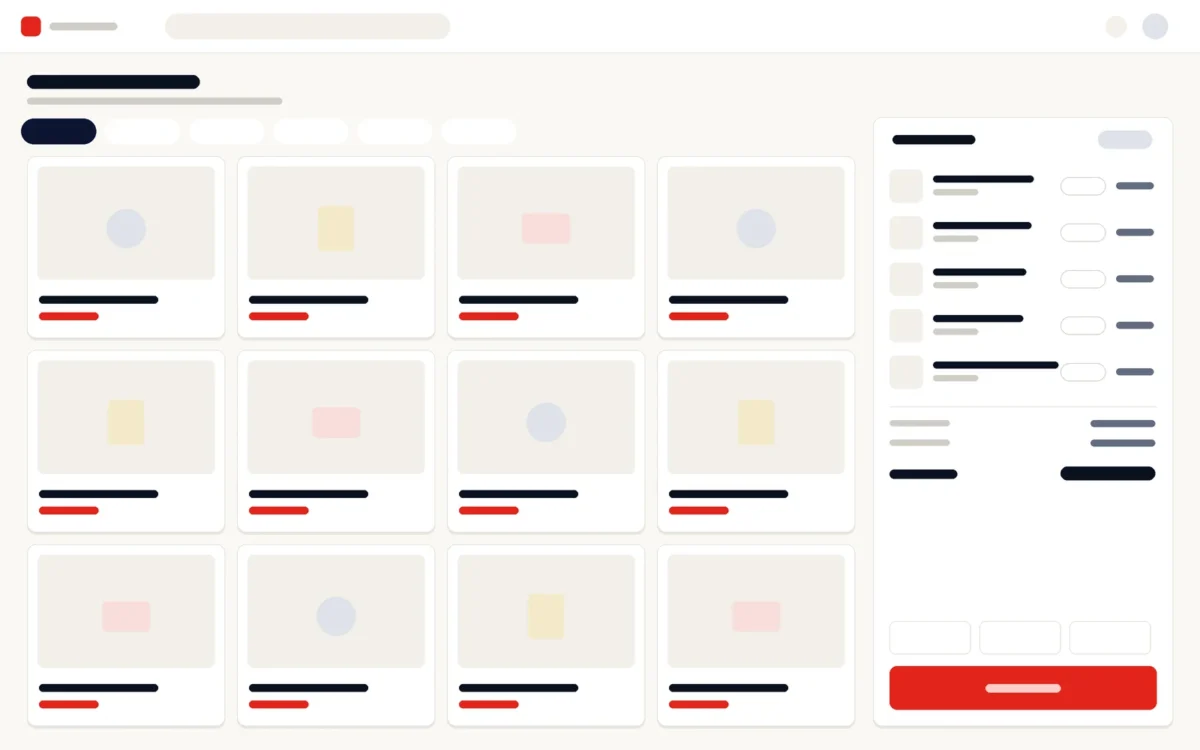
How do you choose a POS system in Sri Lanka?
Start with how your counter works, not with a feature list. Note what you sell, how many tills and outlets you run, whether you sell by weight or track batches and expiry dates, and which hardware you already own. Then check each system against the points below, ask the questions in this guide, and see a demonstration with your own products before you decide.
What should a POS system do for a shop in Sri Lanka?
1. Checkout that keeps working offline
Power and internet cuts happen. If the POS stops when the connection drops, your sales stop too. Check that checkout continues offline and that sales and stock catch up automatically when the connection returns.
2. Real-time stock, with batches and expiry dates
Each sale should reduce stock at once, so you always know what is on the shelf. Pharmacies, groceries and FMCG businesses also need stock tracked by batch and expiry date, so short-dated items are sold first and expired items are not sold.
3. Selling by weight
If you sell vegetables, meat or loose goods, the POS should work with weighing scales, so the weight and price go straight onto the bill without re-typing.
4. VAT and non-VAT invoices
A VAT-registered business must issue invoices that meet the Inland Revenue Department’s requirements. Check that the POS produces VAT invoices in the correct format, and non-VAT invoices where they apply, without manual editing.
5. Card payments and clean till handovers
Card terminals should record each card payment against the sale, and every till should be reconciled at shift handover, so a difference can be traced to a cashier and a shift rather than to the whole day.
6. Pricing, promotions and loyalty
Price lists, discounts, promotions and loyalty should be set in the system, not on paper at the counter, and applied the same way at every till.
7. Several outlets from one place
With more than one shop, head office needs live sales and stock across all of them, stock transfers between outlets, and central price lists, while each counter keeps serving customers at its own pace.
8. Purchasing, reports and your data
Look for supplier orders and goods received notes, and reports by outlet, product, hour, cashier and category. Make sure you can export your sales, stock and customer data at any time, whatever happens to the supplier.
Which hardware does a POS system need?
Most counters need a computer or touchscreen, a barcode scanner, a receipt printer and a cash drawer; many also need weighing scales and a card terminal. Before you buy anything, list the hardware you already have and ask the supplier to confirm it works, and find out who supplies and supports any new hardware.
Cloud or on-premise POS: which is better?
A cloud POS lets the owner and head office see sales and stock from anywhere, and suits businesses with several outlets. An on-premise POS runs on your own server, which some businesses prefer for their IT policy. Either way, checkout should keep working offline. Vero POS & Inventory runs in the cloud or on-premise, and the choice is agreed during discovery.
Which questions should you ask a POS supplier?
- Does checkout keep working when the internet is down?
- Can it track stock by batch and expiry date, and sell by weight?
- Does it issue VAT and non-VAT invoices in the required format?
- Will it work with our existing scanners, printers, scales and card terminals?
- Can head office see live sales and stock across all outlets?
- Is it a one-time licence or a subscription, and what does support cost after the first year?
- Can we export all our data at any time?
- Who trains our cashiers, and who do we call when something goes wrong?
How much does a POS system cost in Sri Lanka?
It depends on the number of outlets and tills, the modules you need and any hardware you buy, and on whether you choose a one-time licence or a subscription. Compare quotations line by line: software, hardware, set-up, training and support. Vero POS & Inventory starts from Rs. 140,000; it is priced per module and per project and quoted free of charge after discovery.
How does Vero POS & Inventory meet this checklist?
- Checkout keeps working offline and catches up when the connection returns.
- Real-time stock across outlets, tracked by batch and expiry date, with weighing scales for items sold by weight.
- VAT and non-VAT invoices in the gazette-approved format.
- Card payments through card terminals, with till reconciliation and shift handover.
- Price lists, promotions and loyalty set centrally; supplier orders, goods received notes, transfers and stock takes.
- Cashier layouts for grocery, pharmacy, FMCG and printing-shop counters.
- Works with barcode scanners, receipt printers, cash drawers, weighing scales and card terminals, which you can also buy from Ants Creation and have installed if required.
- Cloud or on-premise; a one-time licence or a subscription; your data exportable at any time.
Related reading
Next step
Tell us what you sell, how many tills and outlets you run and the hardware you already have, and we will show you Vero POS & Inventory with your kind of counter and send a quotation, free of charge.
Discuss your POS with Ants Creation →
Choosing a POS system: frequently asked questions
What is the best POS system for a small shop in Sri Lanka?
The best one fits how your shop sells. A small shop usually needs fast barcode checkout, stock that updates with each sale, card payments and simple daily reports, with offline selling for when the connection drops. Avoid paying for features you will not use, but check that the system can add a second till or outlet when the business grows.
Does a POS system work without the internet?
Some do and some do not, so ask before you buy. A POS that stops when the connection drops stops your sales too. Vero POS & Inventory keeps checkout working offline and brings the sales and stock up to date when the connection returns, so cashiers can keep serving customers during an outage.
Does my POS need to issue VAT invoices?
If your business is registered for VAT, the invoices you issue must meet the Inland Revenue Department’s requirements, so the POS must produce them correctly. Vero POS & Inventory issues both VAT and non-VAT invoices in the gazette-approved format. If you are not registered yet, ask your accountant what your receipts must show, and choose a system that can switch when you register.
Can one POS system manage several branches?
Yes, if it is built for multi-outlet retail. Each outlet keeps its own tills and stock, while head office sees live sales and stock across all of them, transfers stock between outlets and sets price lists and promotions centrally. Vero POS & Inventory works this way, with sales reported by outlet, product, hour, cashier and category.
Can I use my existing barcode scanner and receipt printer?
Often, yes. Before you buy, tell the supplier the make and model of your barcode scanners, receipt printers, cash drawers, scales and card terminals, and ask them to confirm each one works. Vero POS & Inventory works with barcode scanners, receipt printers, cash drawers, weighing scales and card terminals, and customers can also buy the hardware from Ants Creation, which can install it if required.
What does a pharmacy need in a POS system?
Batch and expiry tracking, so expired stock is not sold and short-dated batches are visible; fast barcode checkout; stock that updates with every sale; supplier orders and goods received notes; and reports by product and category. Vero POS & Inventory has a cashier layout for pharmacy counters and tracks stock by batch and expiry date, with VAT and non-VAT invoices.